← All work
2026Case 1/5 · Blummy

An assistant for therapists who see children, from record to report

Blummy brings intake, sessions, goals and reports into one place and reuses what was recorded once. Live, in a testing phase.

My role
Developer
Team
An occupational therapist (founder) and me, on development
Status
Live, in a testing phase, with a Free plan
Specialties
Occupational Therapy, Speech-Language Pathology and Psychology
Platform
Web: phone, tablet and desktop
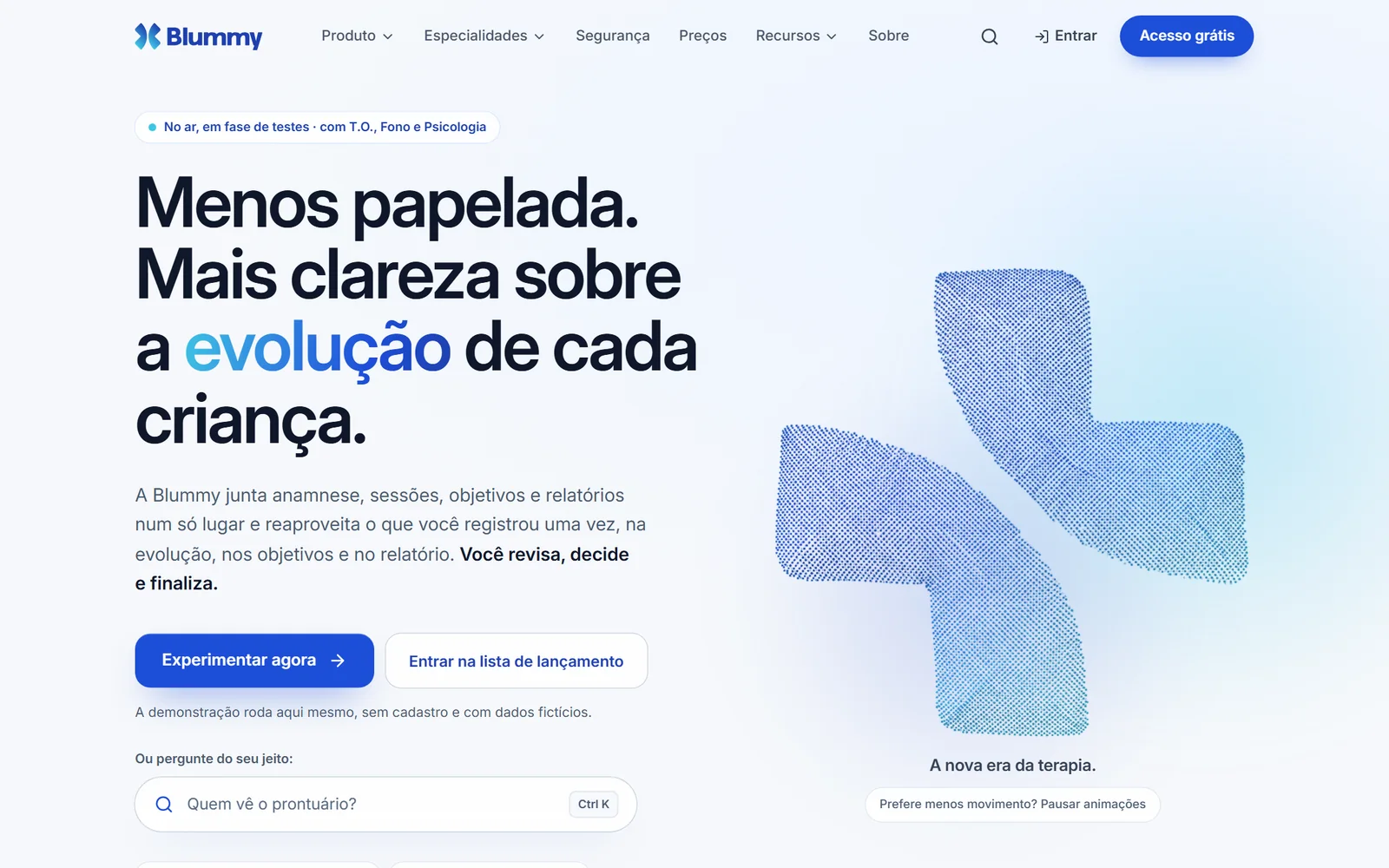
Blummy home page: “Less paperwork. More clarity on each child's progress.” (in Portuguese)
Blummy's home page, live at blummy.app.

01If you read only one part

An assistant, not one more system: what the professional records once shows up where it is needed, in the progress note, the goals and the report. AI comes switched off and only prepares drafts, with the source of each sentence. The person decides. The access rule holds in the database, not only on screen.

↳Challenge and solution

Challenge

Take the weight of paperwork off those who see children without giving up confidentiality: an assistant that is simple to use and trustworthy for a child's health data.

Solution

  • Record once and reuse
  • Intake that adapts to the answers
  • AI that is off and only prepares drafts
  • Access rules in the database

02Context

Blummy is a web app for professionals who see children: schedule, patients and families, guided intake, a progress note for each session, treatment plan, reports, documents, billing and well-being, with an optional intelligence layer.

It is created by an occupational therapist, who knows this routine from the inside. Clinical content exists today for Occupational Therapy, Speech-Language Pathology and Psychology; other professions are in preparation.

The app is live, in a testing phase, and you can create an account on the Free plan. Every screen in this case study is a capture of the public demo, with fictional patients.

03Problem and goals

Whoever sees patients User

  • “The session ends at 6pm. The work doesn't”: reports are left for after the last appointment.
  • Saying for sure whether a patient has progressed means gathering scattered records.
  • The paperwork tires more than the sessions do.

The product Business

  • A child's data asks for more than a padlock in the footer: trust is a prerequisite.
  • What the product promises has to exist: what doesn't exist yet shows up as “on the roadmap”, with no date.

Goals

  1. 01

    Record once and reuse it in the progress note, the goals and the report.

  2. 02

    Protect clinical data with the rule in the database.

  3. 03

    Bring AI into the practice without taking control away: a draft with a source, a preview and a confirmation.

04What I build

01

The day, organized: Home and a three-view schedule

User

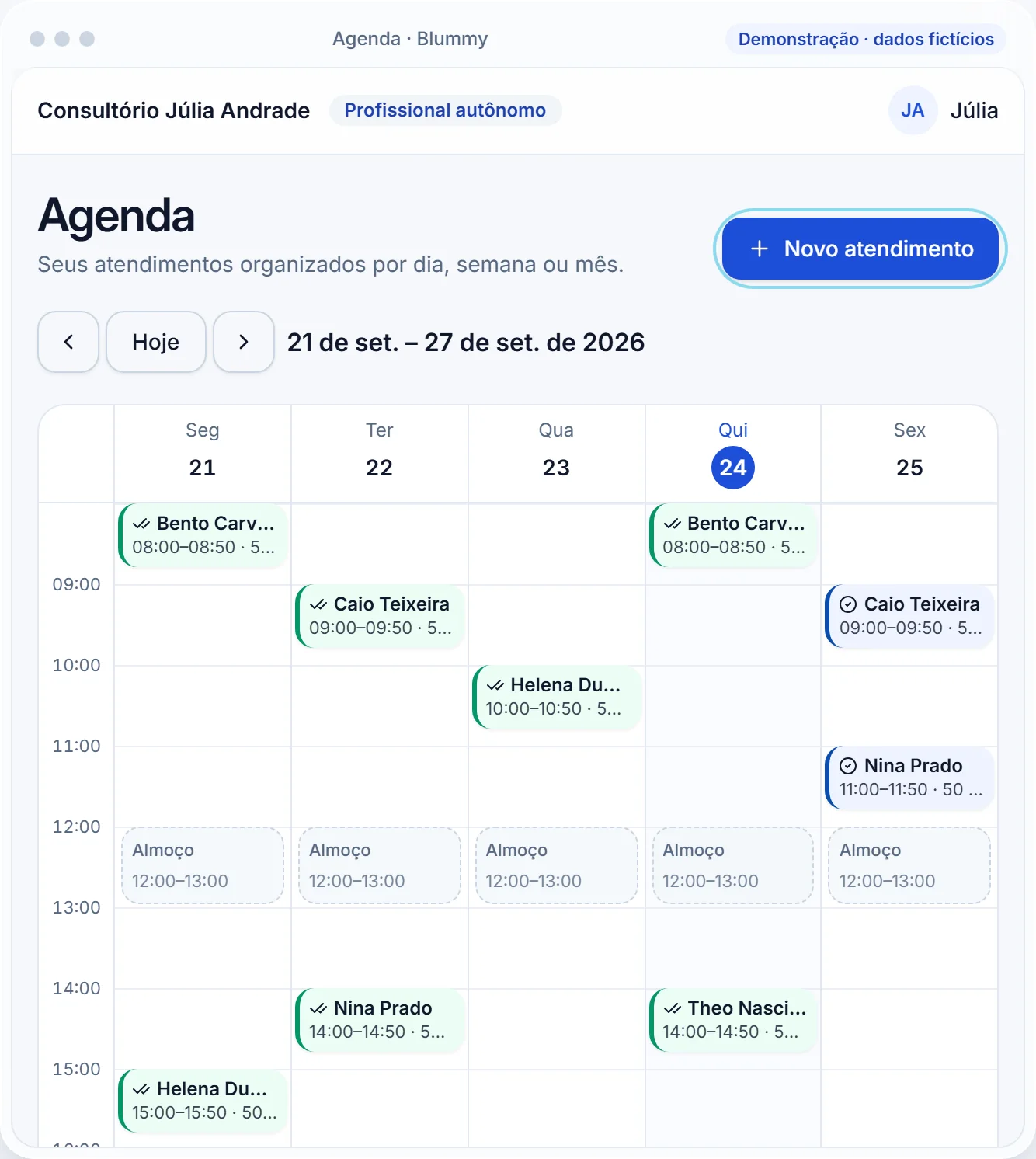
The Home changes with the clock: before the session it shows the next appointment and what is missing; at the time, “Start appointment”; afterwards, “Record progress note”. The schedule has Day to run the routine, Week to see capacity and Month to get oriented, with conflicts flagged before saving.
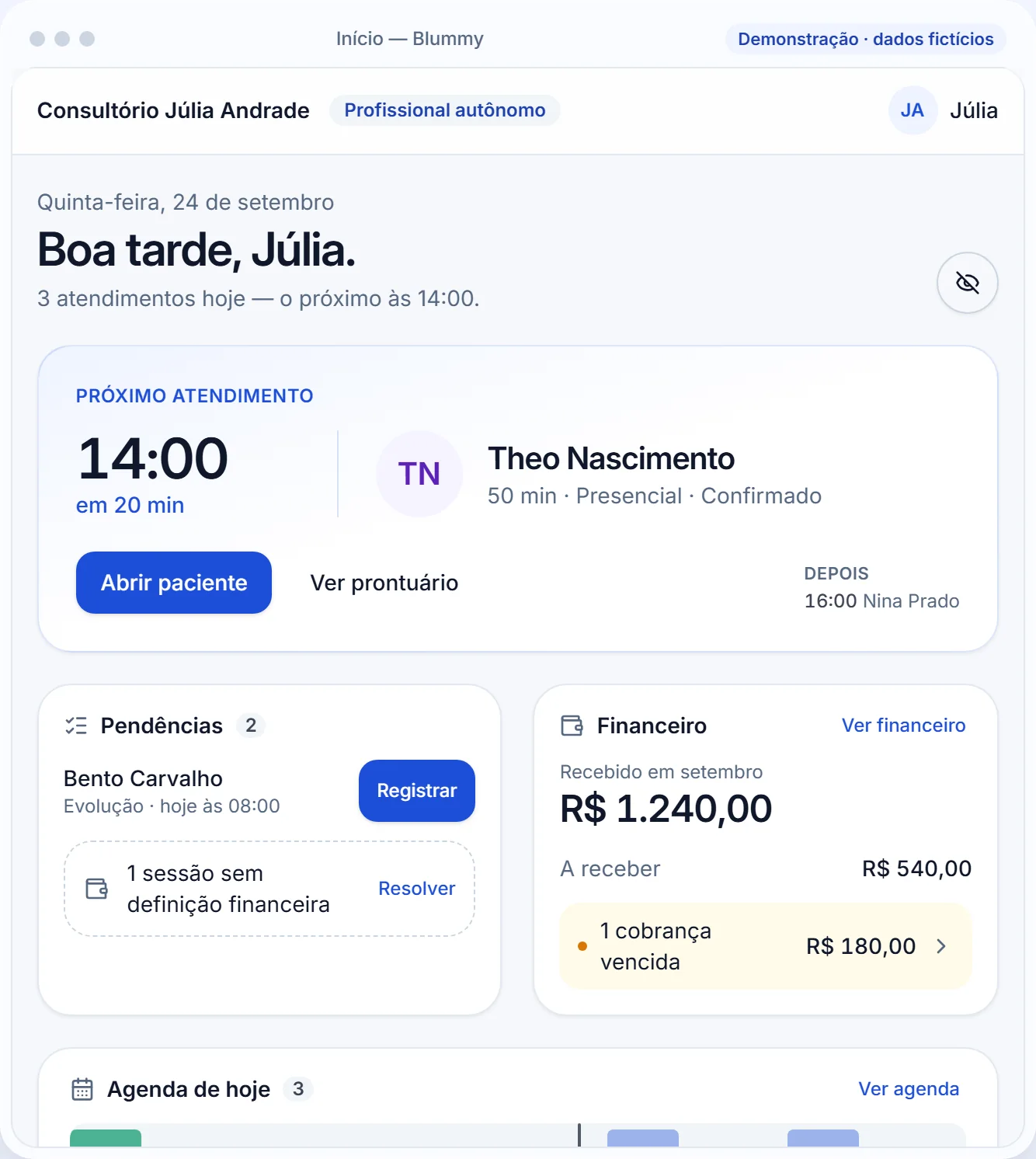
Blummy Home screen: Good afternoon, Júlia, with the next appointment, pending items and billing
Home. Demo with fictional data.
Blummy weekly schedule with the Monday-to-Friday appointments
Schedule in week view.
02

Guided intake and a progress note with context alongside

User

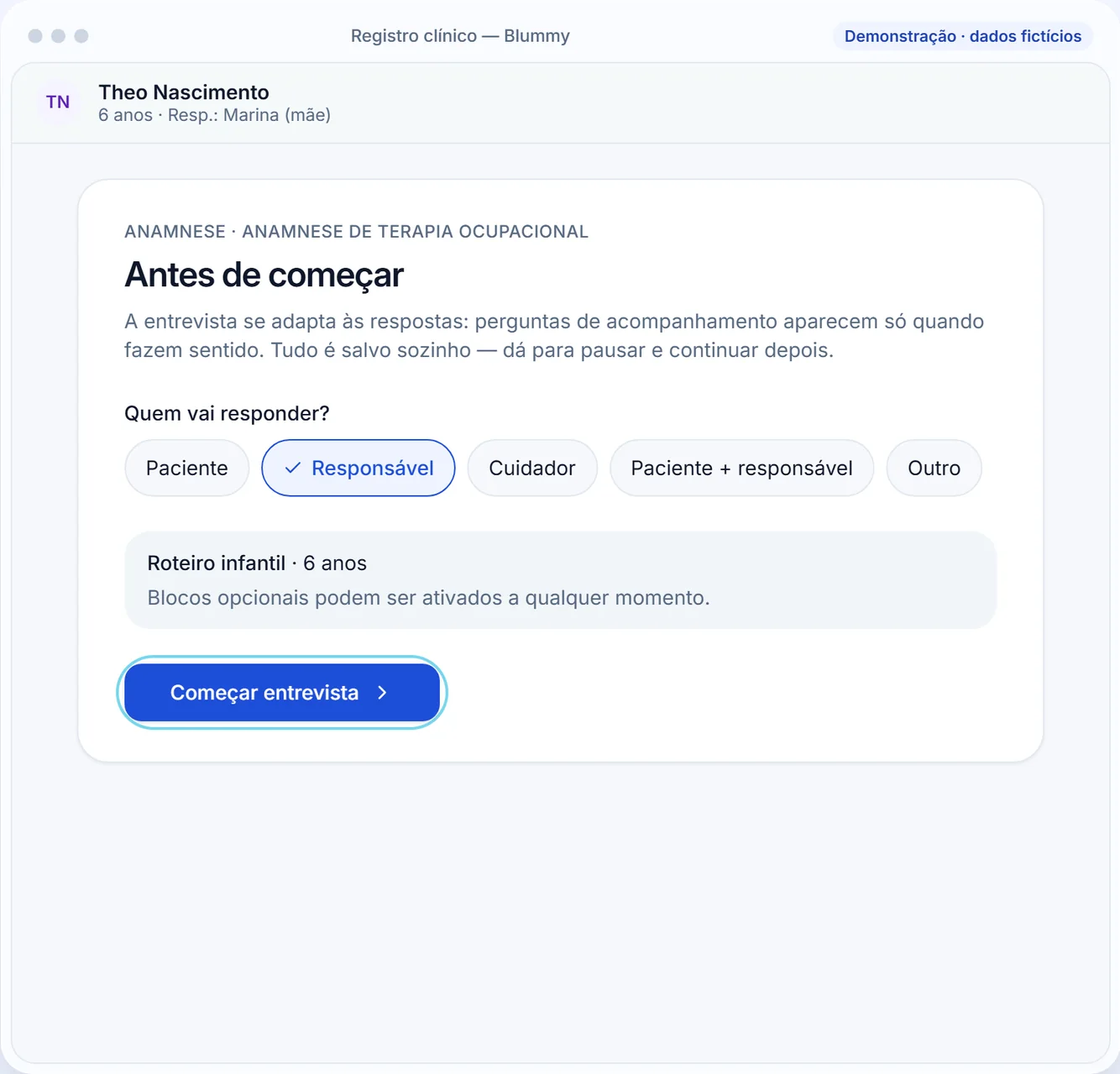
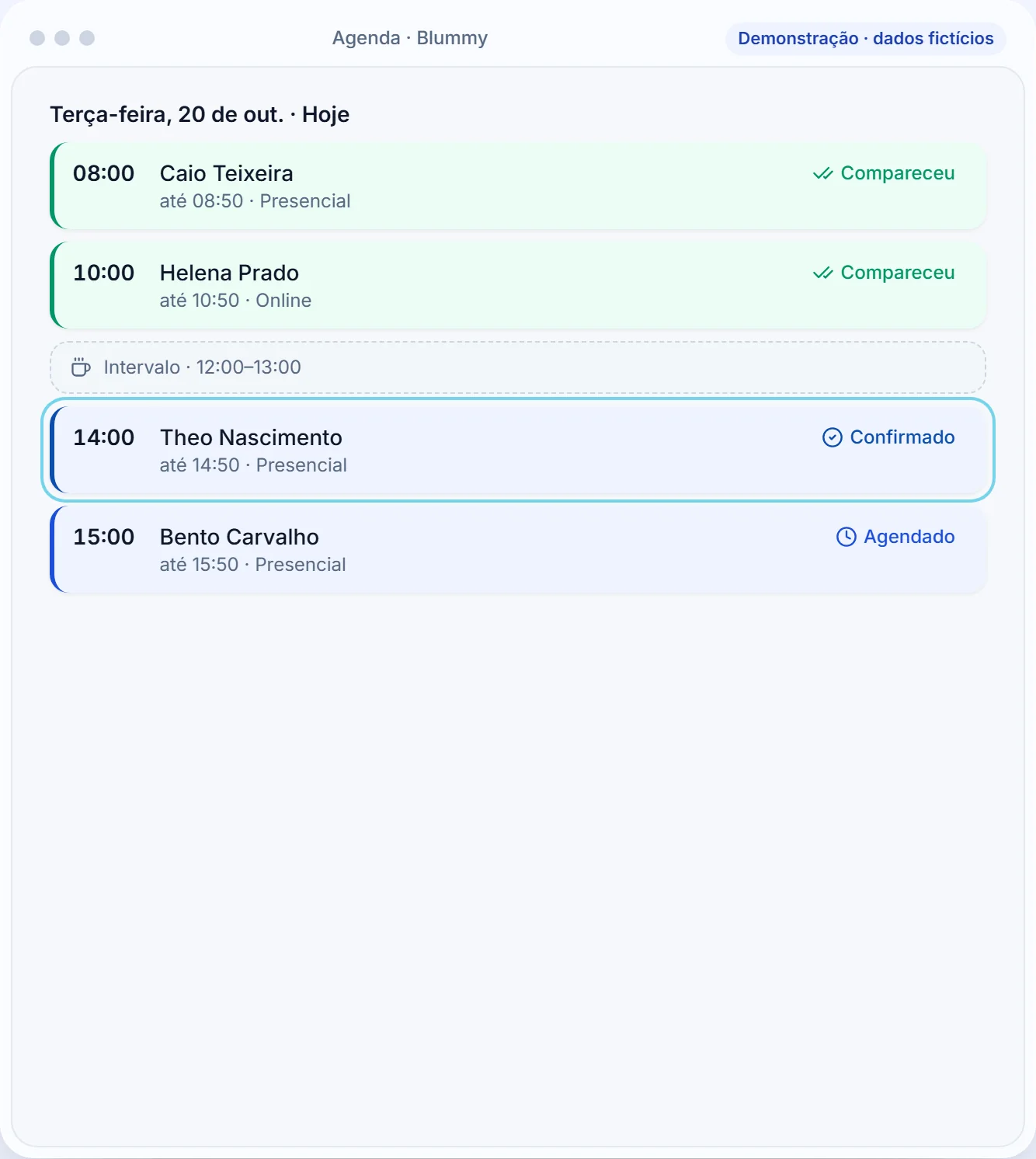
The interview adapts to the answers, with its own model per specialty: 20 sections in Occupational Therapy and 21 in Speech-Language Pathology. In the session, the progress note opens with the patient's context alongside; once finalized it doesn't change: corrections come in as an addendum. From 15 minutes before the appointment, “Start appointment” records attendance and opens a timer, quick captures and free notes.

Guided intake: before starting, who will answer
Guided intake. Demo with fictional data.
Day schedule with attendance marked
From the day to the progress note.
03

Intelligence and Aura: AI prepares, the person confirms

UserBusiness

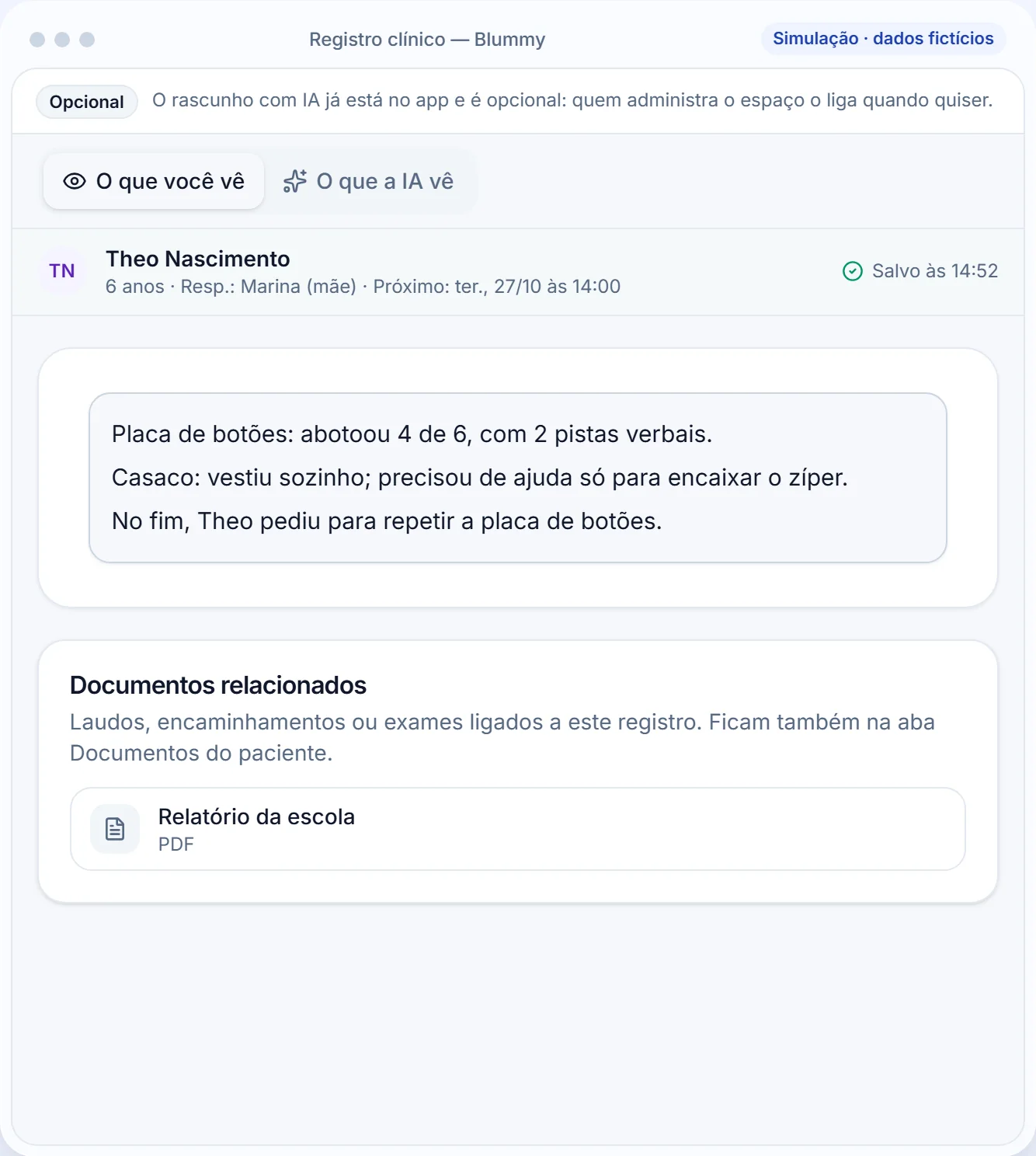
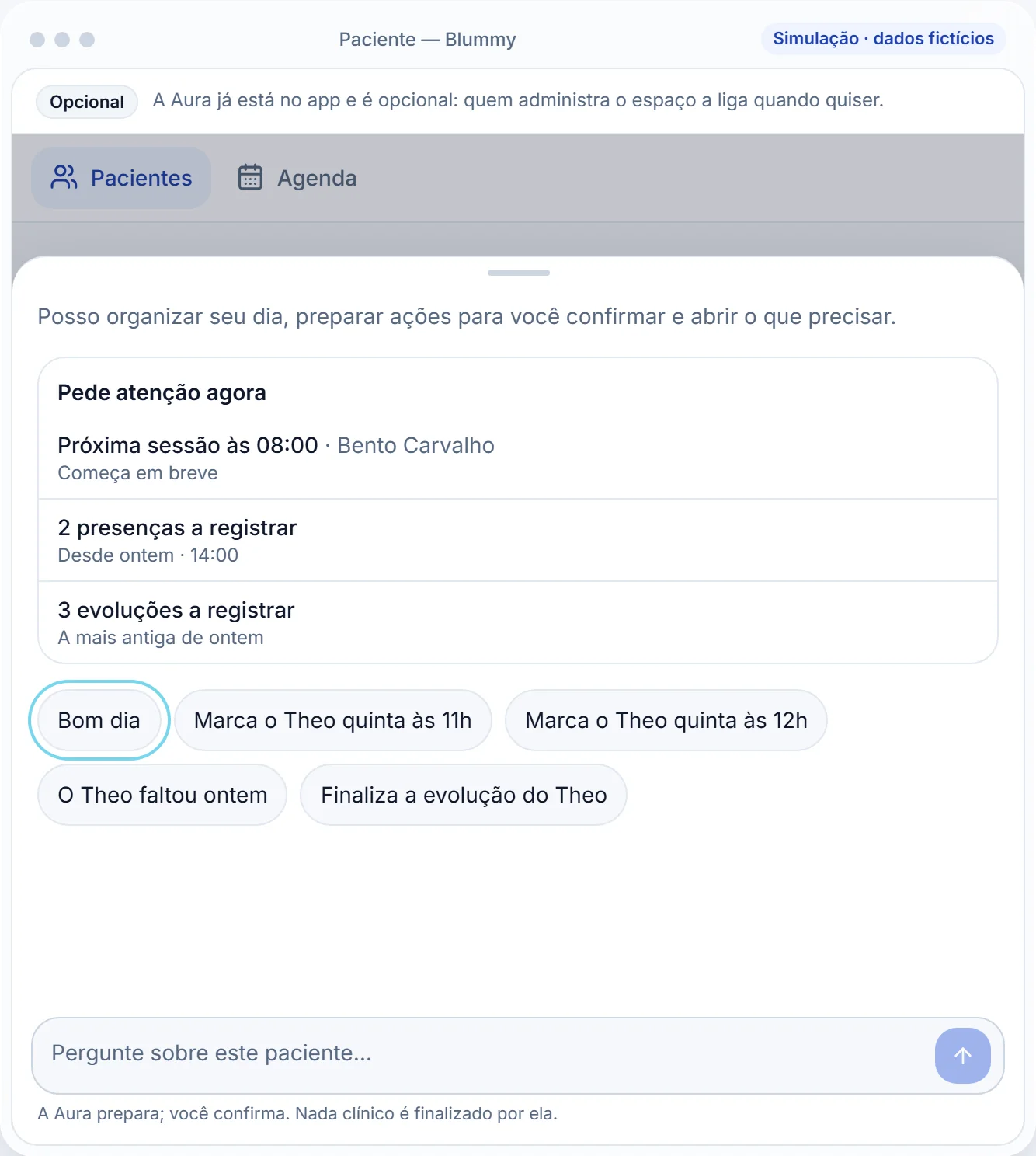
Intelligence is optional and comes switched off: it proposes progress-note and report drafts marking where each statement came from, and accepting finalizes nothing. Aura prepares the day and closes the week, with a preview and a confirmation for each action.

Clinical record with the optional AI draft and the “What you see” question
Draft with the source of each sentence. Simulation with fictional data.
Aura panel with what needs attention now and shortcuts like Good morning
Aura. Simulation with fictional data.
04

The practice: billing and well-being

User

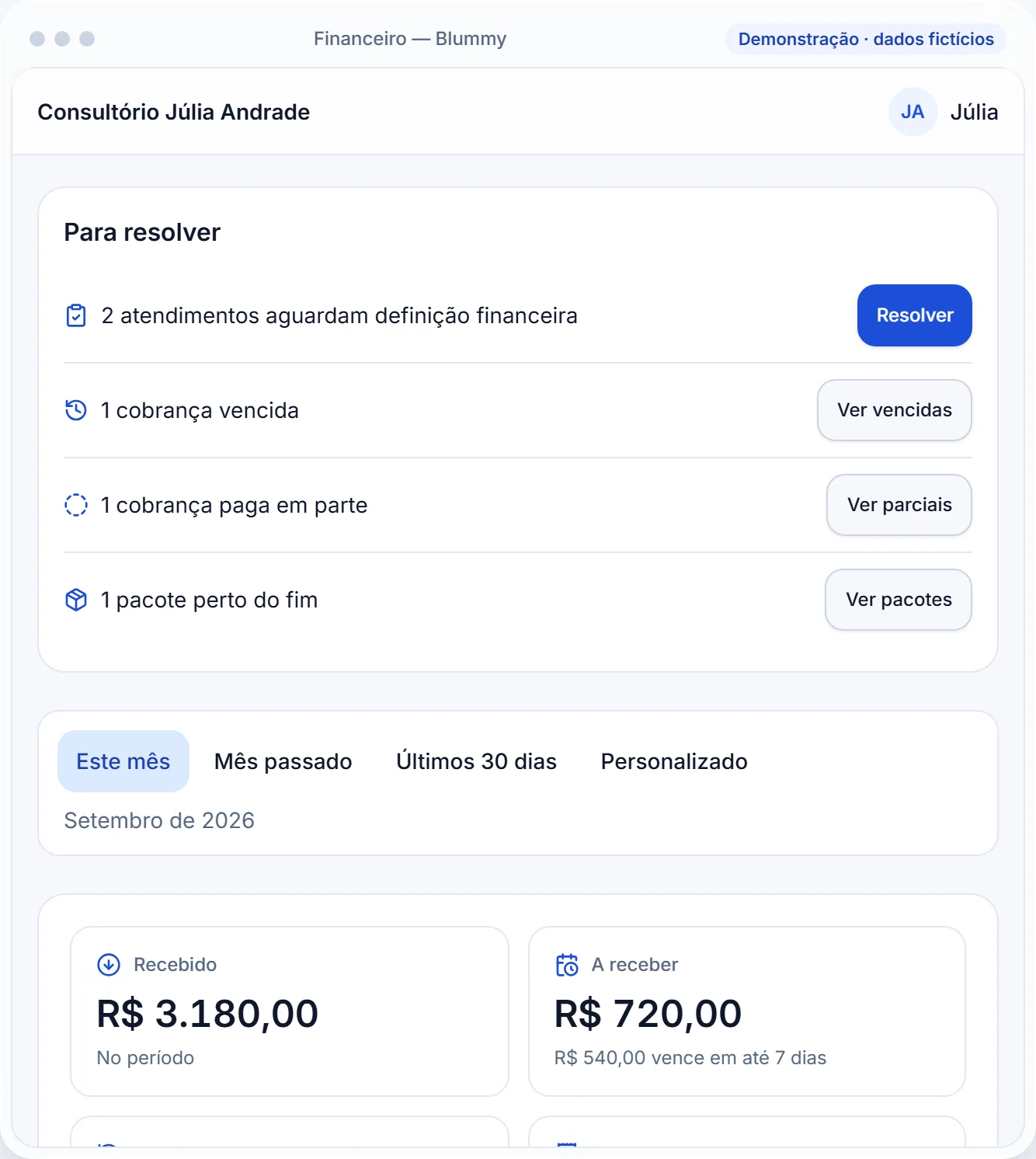
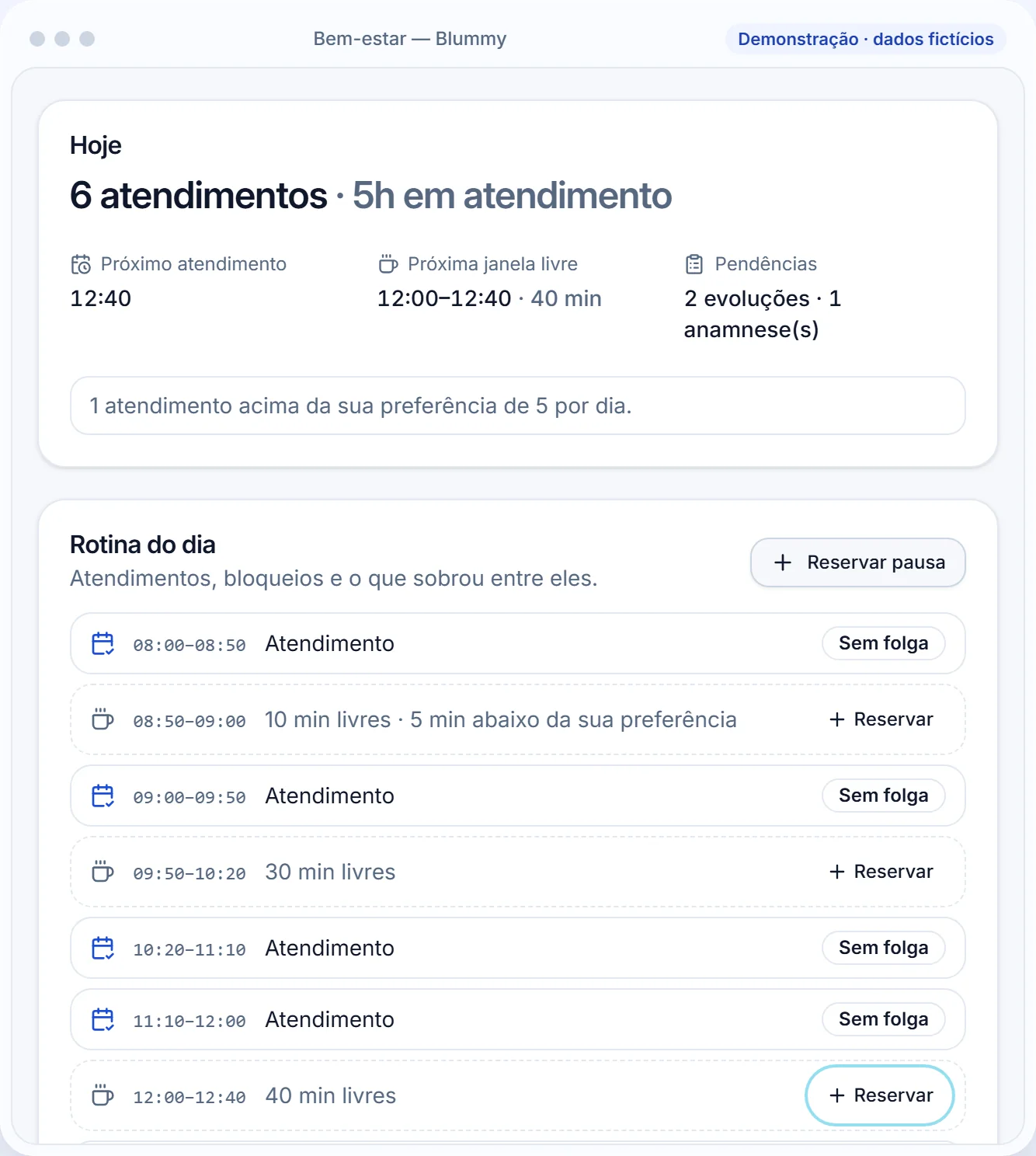
In billing, each completed session awaits a decision: charge, package or no charge. Well-being shows the shape of the day, protects breaks and keeps a check-in that no one else in the space can read.

Billing screen with what to resolve and the month summary
Billing. Demo with fictional data.
Well-being screen with 6 appointments today and the day's routine
Well-being. Demo with fictional data.

05Decisions that don't show on screen

Rules that hold in the database, not only on screen

The interface only reflects what the database enforces. These decisions shape the product without taking up screen space.

  • Only whoever treats the patient reads the record→Access depends on the link to the patient, and the rule holds in the database
  • A finalized record doesn't change→Corrections come in as an addendum, with date and author
  • You take your data with you→ZIP export generated in the browser; account deletion with 7 days to change your mind
  • AI comes switched off→When on, it only prepares drafts with the source of each sentence; the patient's name becomes “[patient]”
  • Psychology: the record is read only by its author→Since 19/10/2026; colleagues, administration and reception can't read it
  • Proof, not adjectives→What the site claims points to something the app does today; what doesn't exist shows up as “on the roadmap”, with no date

06Timeline

  1. 27/09/2026

    Drafts with the source of each sentence

    Intelligence, optional and off by default, proposes drafts marking where each statement came from.

  2. 28/09/2026

    Three-view schedule and plans

    Day, Week and Month, with conflicts flagged before saving; Essential and Pro plans with an Intelligence quota.

  3. 02/10/2026

    Form for the family

    A link for the family to fill in on their phone; what they send only enters the record after review, field by field.

  4. 04/10/2026

    Appointment in progress

    Timer, quick captures and free notes from 15 minutes before the appointment.

  5. 06/10/2026

    Psychology and your data

    Psychology comes into the app; export all your data and delete the account, with 7 days to change your mind.

  6. 19/10/2026

    Confidentiality in Psychology

    What a psychologist records is read only by its author; the rule is in the database.

07Today

10

modules, each one receives and delivers

3

specialties with their own intake: OT, SLP and Psychology

106

tables with row-level security (RLS) on, as of 04/10/2026

1.735

automated tests, as of 04/10/2026

Live

App live in a testing phase, with a Free plan, Essential and Pro plans and a public demo with no sign-up.

Being measured

Usage and satisfaction: there is no public metric. The Psychology clinical content awaits review by psychologists.

08In hindsight

What worked

  • Letting the database enforce the rule and the screen only reflect it.
  • AI off by default, drafts only, with a source.
  • Saying what doesn't exist yet: the roadmap appears with no date and no promise.

What I'd do differently

  • Measure usage from day one: there is still no public metric.
  • Listen to more professionals from other specialties before widening the clinical content.
  • Close the clinical review of Psychology with people from the field.

09My role and team

Me

  • App development: interface, rules and database.
  • Database-level security: access by link, immutable records and data export.
  • From prototype to a live app.

Team

  • Occupational therapist and founder: clinical voice and product decisions.